Key Features of the WHM Control Panel

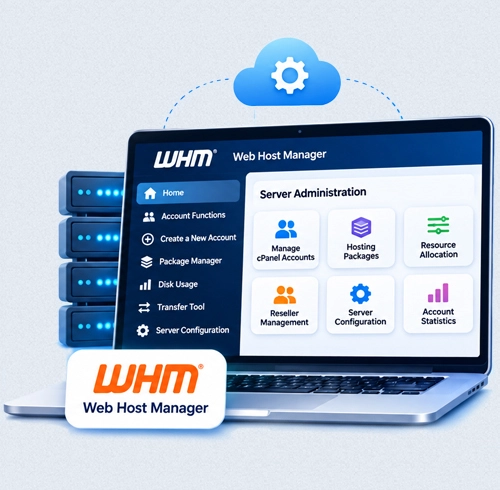
WHM simplifies hosting management with tools to create cPanel accounts, configure hosting packages, manage resources, and control reseller settings from one dashboard.

Account Management

Create, edit, suspend and remove cPanel accounts within your privileges.

01

Hosting Package Management

Build hosting plans for your customers that include predefined resources and account settings.

02

Usage and Monitoring

View your account and resource consumption details to help you manage your hosting.

03

DNS Management

When allowed, control DNS settings supported for hosting accounts.

04

Account Security

Set account security and access limits per WHM permissions.

05

Reseller Administration

Manage all client hosting accounts and reseller activities from a single interface.

06

How to Create a cPanel Account in WHM

The fundamental steps for creating a new hosting account in WHM are as follows:

1

Log in to WHM

Employ the login URL and credentials that have been provided to you by your hosting provider.

2

Open account creation

Navigate to Account Functions → Create a New Account.

3

Enter account details

Enter required domain and account details.

4

Select a hosting package

Select an available bundle that contains materials that are appropriate.

5

Create the account

Look over the configurations, and then send in the form.

6

Verify access

Verify that account is there in the accounts list and the customer has access to cPanel.

WHM vs WHMCS – What Is the Difference?

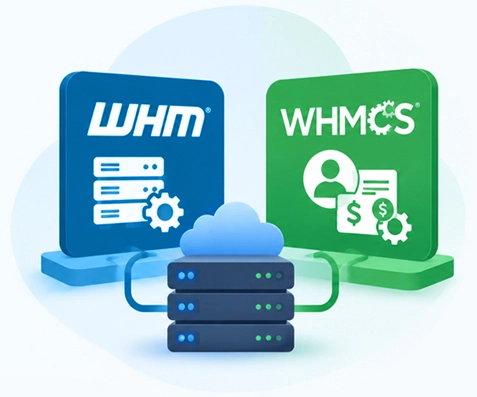
WHM and WHMCS serve different purposes in a web hosting business. WHM is used to create and administer cPanel hosting accounts and packages. WHMCS is a separate client management and billing platform used for orders, invoices, subscriptions, support workflows, and provisioning automation through supported integrations. A hosting business may use both tools together, but WHMCS availability and licensing should be checked separately.

WHM — Hosting account administration, packages, reseller permissions. WHMCS — Customer management, ordering, billing, and automation.

WHM vs WHMCS – What Is the Difference?

WHM vs cPanel – What Is the Difference?

WHM manages hosting accounts and packages at the administrator or reseller level. cPanel is the interface used within an individual hosting account to manage websites, files, email, databases, and domains.

Feature WHM cPanel
Main Purpose Manage multiple hosting accounts and packages Manage an individual hosting account
Typical Users Hosting providers, server administrators, and resellers Website owners and hosting account users
Create cPanel accounts Yes, when permitted No
Manage website files Not typically; use the account’s cPanel File Manager Yes, through File Manager
Manage email Manage account-level settings; individual mailboxes are usually handled in cPanel Create and manage mailboxes within the account
Configure hosting packages Yes, when permitted No

Frequently Asked Questions About WHM

Web Host Manager, also known as WHM, is a control panel that gives you the ability to manage cPanel accounts, hosting packages, and account settings that are allowed.

WHM is used to manage hosting accounts, whereas cPanel is used by individual users to manage their website files, email, databases, and other settings related with their websites.

WHM access may be included in a reseller hosting plan, but inclusion and account limits depend on the provider and package. Check the current plan details before purchasing.

Yes, if your WHM permissions and hosting plan allow it. The maximum number of accounts depends on the plan and applicable licensing or resource limits.

WHM is often used with cPanel based reseller hosting. However, there are various control panels and hosting administration systems available.

WHMCS handles customer management, billing, order processing and automation. WHM handles hosting accounts and packages.

Typically standard shared hosting will give you cPanel not reseller WHM access. Check your plan’s features and permissions.

Enter the URL and credentials that were provided to you by your hosting provider in order to log in to WHM. Please get in touch with us if you are unable to locate your login information.

Ready to Manage Your Hosting Accounts with WHM?

Explore Linux Reseller Hosting → Claim Offer Now

• 30-Day Money-Back Guarantee • Free Migration • 24/7 Support

web hosting