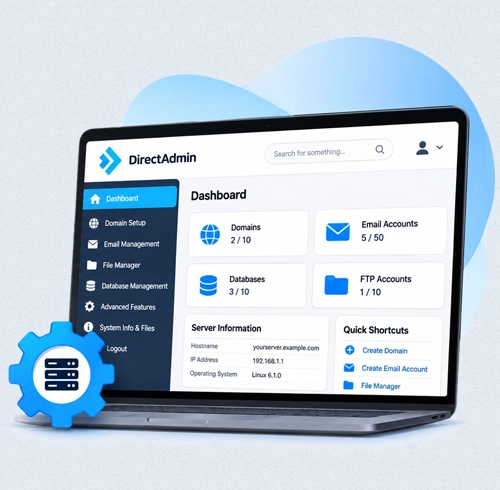
Find out how DirectAdmin simplifies website management, domain and email settings, database administration, one-click application installation, SSL security, and server resource management.
Change DNS records, domain settings, and supported domains and subdomains from a single dashboard. These tools help with daily domain management.
01The built-in file manager lets you upload, organize, and edit website files depending on your account access. This makes regular website updates easy without an FTP program.
02Manage your email accounts, setup forwarders and access supported email settings directly using DirectAdmin. This depends on the email services included with your hosting plan.
03Develop and maintain supported databases and database users for websites and applications. The database engines and administration tools available vary by hosting environment.
04Use SSL certificate tools and HTTPS settings to create secure communications between your website and users. Certificate choices vary based on your server or web host settings.
05Use the built-in backup and restore options to protect your website. Backup policies of hosting package and provider determine backup frequency, storage, coverage and restore.
06DirectAdmin provides an easy approach to handle the common hosting operations from a single control panel. Its main benefits include:
DirectAdmin is intended for website owners, developers, hosting resellers and server administrators. It is dependent on your hosting plan, account access, and server settings.
Manage the most popular web site and hosting solutions from a single interface.
Manage your domains, website files, email and databases in one location.
Routine and easy website maintenance and account administration.
It works for different hosting environments, depending on the provider’s support.

Beginning website owners, developers, and hosting resellers looking for a basic, economical, and easy-to-use control panel for websites, domains, emails, databases, and hosting resources should choose DirectAdmin.
Manage business websites, domain-based email, and databases.
Manage website files and supported WordPress installs.
Work with supported PHP settings and databases.
Control client sites with separate hosting accounts.
Use WHM, where supported, to manage multiple cPanel accounts.
This is how to begin administering your website with DirectAdmin.
Use the panel URL and login credentials given by your hosting provider.
Use the file manager or any other supported upload mechanism.
Configure the services that your site requires.
Enable the existing SSL certificate and HTTPS settings.
Check the account security settings and available backup options.
Web hosting control panels cPanel and DirectAdmin assist users manage accounts. Both provide tools for similar tasks, but have different interfaces and workflows.
| Feature | DirectAdmin | cPanel & WHM |
| Day-to-day website management | Website owners use User Level. Evolution is the default interface on new installations. | Website owners use User Level. Evolution is the default interface on new installations. Website owners use the cPanel dashboard. |
| Managing client accounts | Resellers manage customer accounts through Reseller Level. | Resellers manage customer cPanel accounts through WHM, with permissions assigned by the hosting provider. |
| Automatic SSL | DirectAdmin can issue and renew certificates for domains using ACME, when enabled. | cPanel & WHM uses AutoSSL, when enabled. |
| Moving an existing cPanel account | DirectAdmin supports importing compatible cPanel backups. Confirm what your host can move before switching. | WHM provides tools for transferring or restoring cPanel accounts. The available method depends on your access to the source server. |
• Easy website management control panel • Maintain domains, emails, databases, and websites • 24/7 Support